Document AI · 7 min read
An Invoice Extractor Should Show Its Working
Design an invoice-processing assistant with source evidence, arithmetic checks, duplicate detection, and review.
The total that looked right until someone opened the PDF
Picture an accounts-payable reviewer opening a new invoice-processing tool. The screen shows a supplier, a due date, and a total. Every field has a reassuring green indicator. She is about to accept the draft when the amount catches her eye.
She opens the PDF in another tab. The number is there, but it is the tax amount. The actual amount due sits below it in smaller print.
She corrects the field, goes back to the queue, and wonders which of the other green fields deserve the same investigation. The tool has saved typing but made trust more expensive.
This is a fictional document-processing story. The numbers and organizations are deliberately unspecified because the point is the workflow, not a claimed customer result. A valid JSON object can still be a poor accounting draft, and an attractive confidence badge can make that problem harder to notice.
I would begin by watching how the reviewer corrects the mistake. Does she search the whole document? Can she tell which page supplied the value? Does fixing the total update the validation state, or does the interface keep showing yesterday's confidence?
The extraction model matters, but the product's usefulness depends on the whole correction loop. If the reviewer has to reconstruct every decision manually, a technically impressive extractor can become another screen to manage rather than a tool that removes work.
Every important field needs evidence
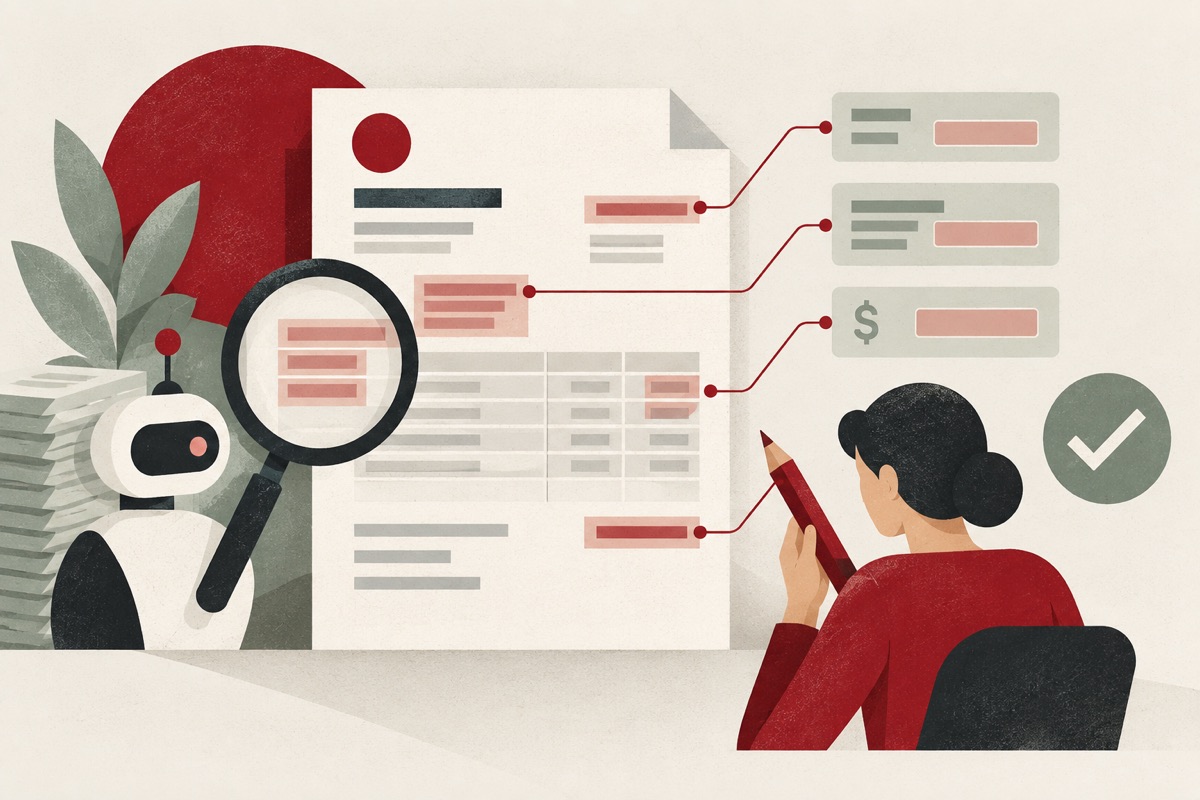
For supplier name, invoice number, currency, tax, and total, retain a reference to the source page and text region where possible. Let the reviewer click a field and see the supporting area immediately.
Keep the original document and extraction version linked. If a new model produces a different total tomorrow, the team should be able to compare outputs against the same source rather than guessing which file was processed.
Evidence does not guarantee correctness. It makes errors easier to inspect and decisions easier to explain. The system should distinguish a directly extracted value from one inferred or calculated later.
Validate the document as a whole
A collection of plausible fields can still describe an impossible invoice. Check whether line items, discounts, tax, and totals reconcile within appropriate rounding tolerances. Validate currency and date formats. Flag missing or inconsistent supplier identifiers.
Do not assume every invoice uses the same tax presentation. Inclusive tax, credit notes, partial payments, and multiple currencies can break a simplistic “sum the rows” rule.
Make validation rules explicit and versioned. When a rule does not cover a document type, route it to review instead of forcing the values into the closest familiar shape.
The second invoice changes the diagnosis
The next document is a credit note. The extractor returns a negative total, and a validation rule flags it as invalid because the original developer assumed invoices always represent money owed.
Then a third document includes tax in each line-item price. The arithmetic validator adds tax again and reports a mismatch. Neither case is solved by asking the model to “be more accurate.” The application needs a richer understanding of the document types it claims to support.
In our walkthrough, I would add a review classification before automatic posting. Is this an invoice, a credit note, or another document? Which fields are required for that type? Which arithmetic relationships are meaningful? When those questions cannot be answered confidently, the draft goes to review with a specific reason.
The reviewer should see “possible credit note; sign convention needs review,” not merely “low confidence.” The reason tells them where to look. A generic warning spreads uncertainty across the whole page.
Now introduce a duplicate. The supplier emails a scan, then uploads a cleaner PDF with the same invoice number. The file hashes differ, but the business document may be the same. A layered duplicate check can flag the pair without silently deleting either. The reviewer sees both documents and decides whether one supersedes the other.
These cases reshape the product. It is no longer a box that turns PDFs into JSON. It is a preparation and review workflow that preserves evidence, identifies disagreement, and keeps consequential actions separate from uncertain extraction.
Confidence is a routing input, not permission
An extraction score should not directly authorize a payment. A model can be highly confident about a visually clear number that has the wrong semantic role.
Combine evidence quality, validation results, known supplier information, and the risk of the proposed next step. The thresholds need calibration against representative labeled documents. A threshold that works on clean digital PDFs may fail on phone photos.
For a first release, I would let the assistant prepare an accounting draft. A human reviews exceptions and approves any consequential posting according to the organization's controls.
Deduplicate before the expensive step
A supplier can email the same invoice twice, and someone can upload a renamed copy. A file hash catches identical bytes; it will not catch a rescanned document or a modified filename with changed metadata.
Use a layered duplicate check with supplier identity, invoice number, amount, and date, then treat uncertain matches as review candidates. Do not automatically discard a legitimate recurring invoice because its amount matches last month's bill.
Give the reviewer the suspected duplicate and the reason it was flagged. A silent “duplicate” result makes both errors and support requests harder to resolve.
Build a test set around messy documents
Include rotated scans, multi-page tables, credit notes, handwritten marks, ambiguous dates, and invoices where the subtotal looks more prominent than the total. Include duplicates that are visually identical but byte-wise different.
Measure field accuracy, time to correct a document, false duplicate flags, and the share of documents needing review. An overall extraction score can hide weak performance on the one field that drives payment.
The first milestone is not “no humans.” It is a reviewer who can confidently accept or correct a draft faster than entering the invoice from scratch. That is a useful product, and it gives you the feedback needed to decide which steps can safely become more automatic.
The moment the tool becomes useful
Replay the original invoice. The total field includes a source highlight, and the arithmetic checks flag a mismatch. The reviewer clicks the field, sees the tax label, corrects the value, and confirms the revised draft without leaving the screen.
That is a modest outcome, but it is a meaningful one. The reviewer knows why the system was uncertain and can resolve the uncertainty quickly. The corrected example can also become evaluation material after appropriate handling of the underlying data.
I would measure the time from opening a draft to accepting or rejecting it, including the difficult cases. Also measure errors that escape review. Speed alone can reward an interface that makes it too easy to accept incorrect values.
There is a temptation to hide exceptions because they make automation rates look worse. Resist it. A document that needs review is not necessarily a product failure. A document that confidently enters the wrong amount into the next system is.
Over time, the team can identify narrow categories that are consistently reliable: a known supplier layout, a supported document type, and validated totals. Those categories may support more automation, subject to the organization's approval controls.
The story ends with a reviewer spending less effort finding the evidence, not with a promise that invoices no longer need judgment. That is a practical foundation for document AI: make the uncertain parts visible, make correction fast, and let automation expand where the evidence supports it.
Sources & further reading
Worked scenarios are illustrative. Technical references were checked on September 10, 2026.
Working through a similar problem?
Tell me what you are building and where it gets stuck.
Let’s talk ↗